Buying guide
White label, grey label or turnkey
These three words are used almost interchangeably in this industry and they do not mean the same thing. The difference decides how much you control, how much you pay every month, and whether your brokerage looks like a business or looks like somebody else's product with your logo on it. This page defines each one and sets out what to ask before you sign anything.
From a grey label to your own white labelFrom this guide
- BrandYour logo on the partner's platformYour brand everywhere
- Client dataHeld by the partnerYour own database
- What you payOften a share of spread or volumeA flat monthly price from $1,250
- If you leaveClients and history usually stay with the partnerYour database and your clients go with you
Figures and rows from this guide's own sources. Sample market data, sample clients and sample brands. "Your Brand" stands for your own name and logo.
The three models
A grey label is the lightest arrangement. You are effectively a partner operating under somebody else's licence and platform, usually with limited branding and limited control over pricing and instruments. It is cheap to start and hard to build a durable business on, because almost nothing about the operation is yours.
A white label means the platform runs under your brand. What varies enormously between vendors is how deep the branding goes and how much of the stack you control. At one end it is a reskinned login page over a shared system. At the other, your brand is applied through the entire build and you have your own infrastructure.
Read moreShow less: The three models
Turnkey is the word that moves most between vendors, because it covers two different things. Turnkey software is the platform, the CRM and the client portal from one vendor at one monthly price, so nothing has to be stitched together. A turnkey brokerage goes further and adds liquidity, payment processing and help with the licence, usually through partners the vendor works with. Both are convenient. Ask which one you are being quoted, and check what you are locked into once the introductory period ends.
- Grey label
Operate under another firm's licence and platform. Fast and cheap, with little control and little that belongs to you.
- White label
Your brand on the platform. How deep that branding goes and how much infrastructure is yours varies widely between vendors.
- Turnkey software
Trading platform, CRM and client portal from one vendor at one monthly price. Liquidity, payments and the licence are still yours to arrange.
- Turnkey brokerage
Turnkey software plus liquidity, payments and licence help, often through partners. Convenient, but check closely for lock in and for fees tied to your trading volume.
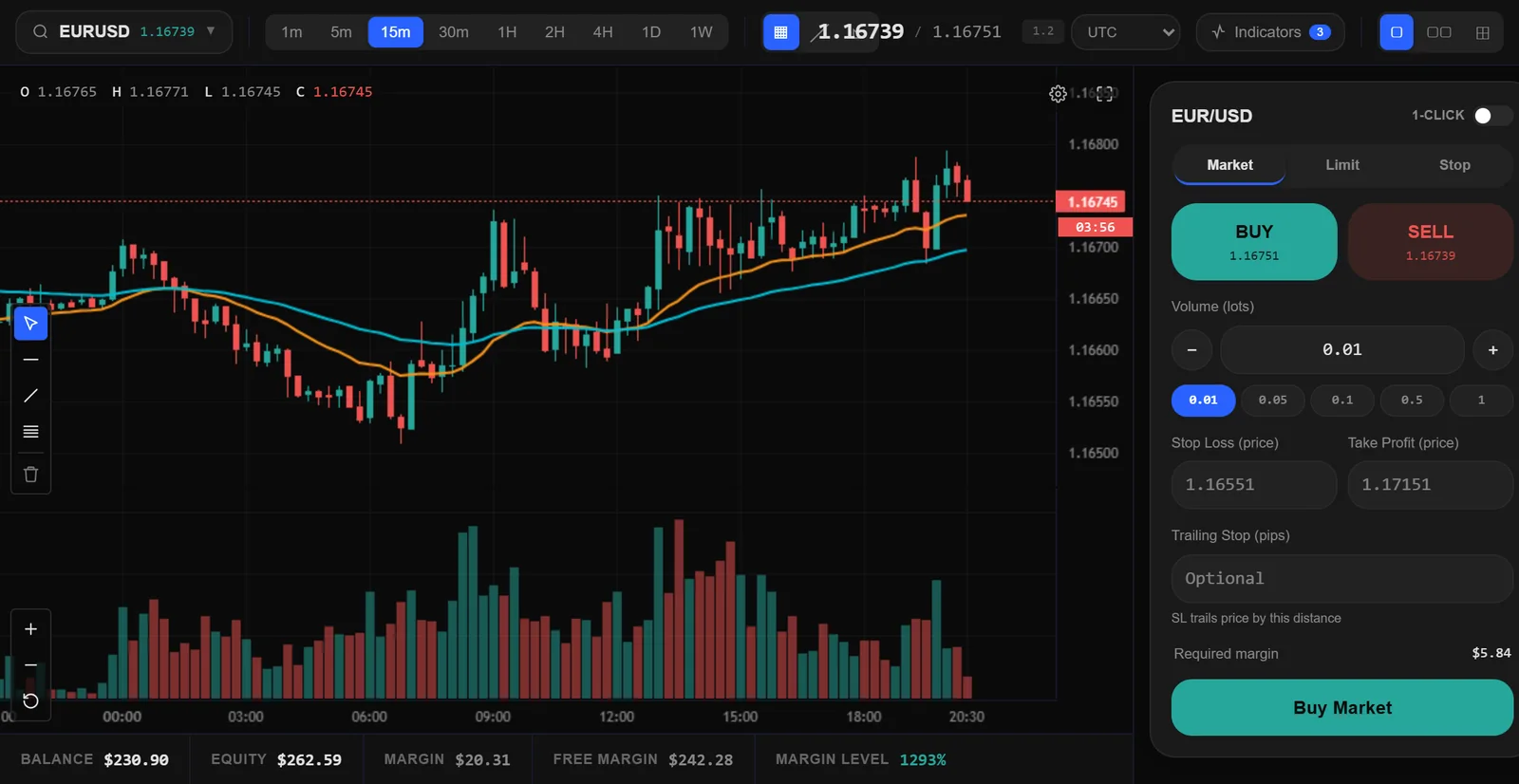
On your platform
What every plan runs on
One deployment on your brand, domain and database: the terminal your clients trade on, and the CRM your team runs.
Deposits
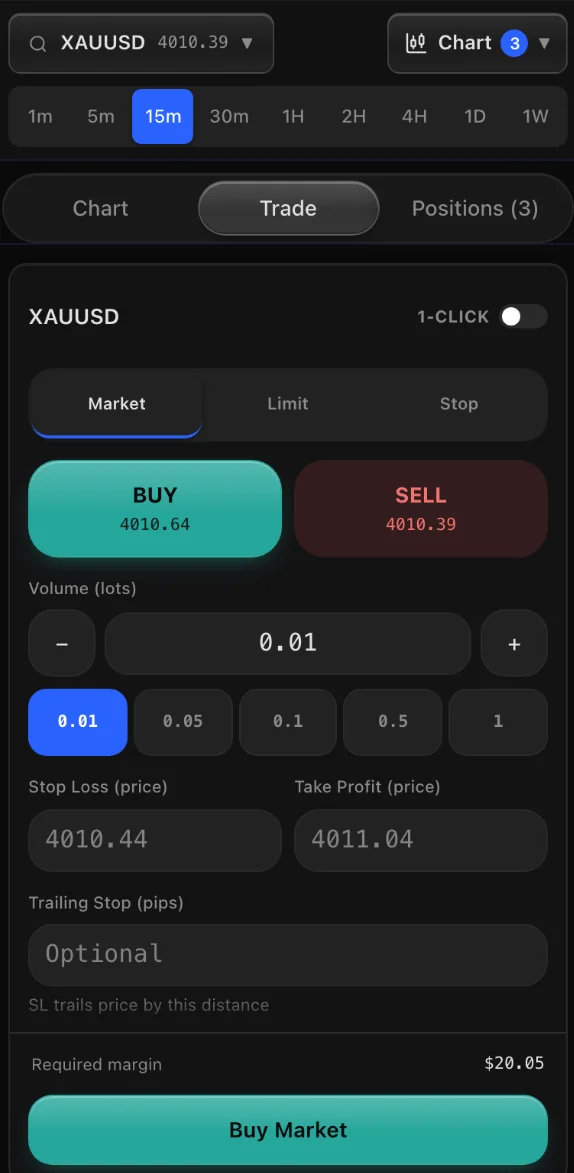
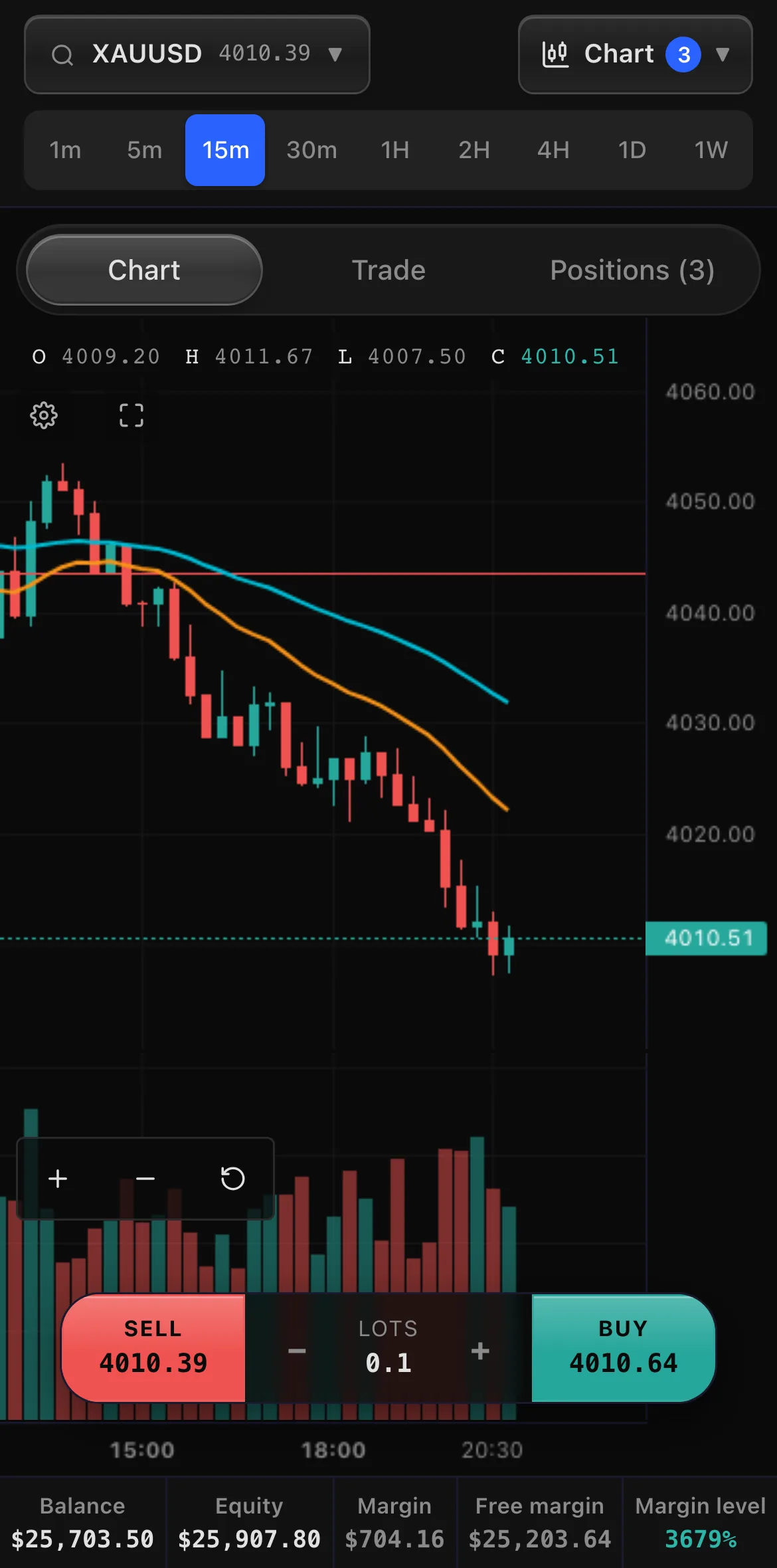
Sample market data and sample clients. "Your Brand" stands for your own name and logo.
From a grey label to your own white label
Many new brokers start on a grey label because it looks like the quick way in: another firm's platform, usually under its licence, with your logo on the login page.
Read moreShow less: From a grey label to your own white label
In return the partner sets the pricing and the instruments, holds the client relationship and the data, and often takes a share of your spread or volume for as long as you stay.
On Pelris you can own a white label from the first day for a flat monthly price. Your brand runs through the trading terminal, the CRM and every client email, on your own domain and your own database. You set spreads per account type and per client, and you choose for each client whether trades stay in-house or are covered with your liquidity provider. Plans start at $1,250 a month with no setup fee and no revenue share, and your first month is free.
The one real difference is the licence. A grey label usually runs under the partner's licence; a white label runs under yours, or under a licensed partner you choose. If you are still arranging one, our comparison of licence jurisdictions sets out the options, and your branded platform can be ready within a week while the application runs.
| Grey label | Your own white label on Pelris | |
|---|---|---|
| Brand | Your logo on the partner's platform | Your brand everywhere, with no vendor name anywhere |
| Client data | Held by the partner | Your own database |
| Pricing and instruments | Set by the partner | Set by you, per account type and per client |
| Execution | The partner's model | Your choice per client: in-house or covered with your liquidity provider |
| What you pay | Often a share of spread or volume, for as long as you stay | A flat monthly price from $1,250, no setup fee, no revenue share, first month free |
| Licence | Usually the partner's | Yours, or a licensed partner you choose |
| If you leave | Clients and history usually stay with the partner | Your database and your clients go with you |
What an MT4 or MT5 white label means today
Many founders start by asking for an MT5 white label, so it is worth being precise about what one is.
Read moreShow less: What an MT4 or MT5 white label means today
It runs under another firm's MetaTrader licence and on that firm's server. Your brand is on the terminal, but the licence and the server belong to the firm above you, and so does control over upgrades and settings.
In late 2022 the trade press reported that MetaQuotes had stopped issuing new white labels directly. Since then a new broker is usually set up as a sub-licensee of an existing licence holder, and a full licence of your own is a far larger commitment. Ask who holds the licence and the server, and what happens to your clients if that firm changes its terms.
An MT4 white label, a MetaTrader 4 white label, works the same way on the older platform. MetaQuotes has steered brokers toward MetaTrader 5 for years, so an MT4 white label today is a sub-licence on a server another firm already runs, and the questions are the same with one more: how long that firm expects to keep its MetaTrader 4 server running. Either way, the CRM, the client portal and the payments are separate products you buy and join to it.
What replaces the MT5 Manager and the MT5 server
Brokers who know MetaTrader often ask what does the job of the pieces they would otherwise license.
Read moreShow less: What replaces the MT5 Manager and the MT5 server
On a MetaTrader setup the MT5 server, or the MT4 server, runs the trading; the MT5 Manager or MT4 Manager terminal is where dealing and back office staff work on accounts and trades; and MT4 plugins or MT5 plugins add what the server does not do, from bonuses to copy trading. Each is licensed or bought on its own, often from a different vendor, and the CRM is another product again.
On Pelris the staff CRM takes the manager's role. From a client's record your team opens any trading account in an account window with its balance, credit, equity, margin, open positions and full history. Staff with the right role change an account's leverage, disable or enable it and close a trade. Spreads are set per account type, with overrides for a single client or account, instruments are switched on or off for your platform, the reports show your clients' net exposure on each instrument, and every sensitive action is written to the activity log.
The server's job is part of the platform. Orders, the margin engine, the stop out and overnight swaps run on your own deployment, which we host and maintain, so there is no trading server to rent, patch or upgrade. What plugins usually add is built in on the plans that include each module: introducing broker commissions, deposit bonuses, copy trading, PAMM and MAM accounts and prop firm challenges. Moving from MetaTrader, the CRM imports your clients, balances and trade history, so your clients keep their accounts.
| On MetaTrader | What it does | On Pelris |
|---|---|---|
| MT5 server or MT4 server | Runs orders, margin, stop out and swaps | Part of the platform, on your own deployment, hosted and maintained for you |
| MT5 Manager or MT4 Manager | Where staff work on accounts, balances, leverage and trades | The staff CRM: an account window per trading account, with roles for each person |
| Administrator settings | Groups, symbols and spreads | Account types, spreads per account type, client or account, and instruments on or off |
| MT4 and MT5 plugins | Add bonuses, IB commissions, copy trading and other extras | Built-in modules, on the plans that include them |
| A separate CRM | Leads, KYC, deposits and the sales desk | The same staff CRM, on your own brand |
The One-Database Question
Ask every vendor one question before price comes up: do all your brokers share one database, or does each get their own?
Read moreShow less: The One-Database Question
We call it the One-Database Question, and the answer tells you most of what you need to know.
In a shared system, every broker is a row in somebody else's tables, separated by an identifier in a column. It works and is cheaper to run, but your book and another broker's book live in the same place, kept apart only by application logic being correct on every query.
The alternative is a separate deployment and a separate database per brokerage. With no shared tenant table, no query can return another broker's data, correct or otherwise. A business that will be supervised and audited should understand this before it signs.
Where the costs sit
Setup fees get quoted and compared.
One monthly priceFirst month free on any plan
- Starter$1,250a monthNew brokers launching their first branded desk
- Growth$2,500a monthScaling desks that want automation and a native app
- EnterpriseCustomMulti-brand groups and regulated operators
Prices as on the pricing page, and sample inputs.
Read moreShow less: Where the costs sit
They are rarely the number that matters. The monthly platform fee, per account charges, market data, payment processing and the cost of anything the base package leaves out will dominate your first year.
If the platform is a fork of a shared codebase, every fix and every new feature has to be applied to your instance separately, and in practice that means waiting. When every broker runs on one well tested codebase, improvements reach you automatically.
Ask what happens when you want to leave, too. Whether your client data and configuration come with you is a question with very different answers depending on which of the three models you signed up for.
What a new broker needs on day one
Reduced to essentials: a trading terminal clients will use on a phone, a CRM your staff can run, deposits and withdrawals that run instantly or through approval queues, identity verification gating withdrawals, an introducing broker structure with commission reporting, and an audit trail over every sensitive action.
Sample market data and sample clients.
Read moreShow less: What a new broker needs on day one
On the client side that means instrument modelling across forex, metals, oil, indices, crypto and stocks, proper charting, full order types and a margin engine. On the staff side it means a leads pipeline, client profiles, call logging, document review and role based access for each member of staff.
Anything a vendor offers beyond that is worth having. Anything missing from it is something you will be building or buying separately in month two, which is the surprise a turnkey package is supposed to prevent.
Where Pelris sits
Pelris is turnkey software.
Read moreShow less: Where Pelris sits
The trading terminal, the staff CRM, the client portal and the back office are one product at one monthly price, on your own deployment with your own database.
It is not a turnkey brokerage: the licence and your payment provider contracts are yours to arrange. You choose per client whether trades are kept in-house or covered with your liquidity provider, and you can bring your own provider or let us introduce you to one; you contract with them directly.
Common questions
Anything else? Our team answers 24/7.
Should I start with a grey label or my own white label?
A grey label is quick to start but leaves the brand, the pricing, the client data and part of your revenue with the partner. On Pelris you own a white label from the first day for a flat $1,250 a month, with no setup fee, no revenue share and the first month free. The trade off is the licence: a white label runs under your own licence or a licensed partner you choose.
How does this compare to an MT5 white label?
An MT5 white label licences MetaQuotes' terminal under your brand, and you still assemble a CRM, a client portal and payments around it, usually from separate vendors. Pelris is not an MT5 reseller: the terminal, CRM, portal and back office are one product from one vendor, so nothing needs stitching together or reconciling. If your clients specifically demand MT5, an MT5 white label is the right choice. If what they need is a clean branded platform with the whole operation behind it, this is the simpler route, and the CRM includes a MetaTrader statement importer for migrating existing clients across.
What replaces the MT5 Manager on Pelris?
The staff CRM. Your team opens any trading account to see its balance, credit, equity and open positions, changes leverage, disables an account or closes a trade, with roles deciding who may do what. The trading engine that an MT5 server provides runs on your own deployment, and what MT4 plugins usually add is built in as modules.
Is white label cheaper than building?
Yes, by a wide margin. Building a terminal, a CRM, a payments layer and a mobile app is a multi year engineering programme before you have taken a single client, and the result needs maintaining forever afterwards.
Do we get our own database?
Yes. Every broker runs on a separate deployment with a separate database and no shared tenant table, so one broker's data cannot be read from another.
How deep does the branding go?
Logo, accent colour, typography, favicon and app icons flow through the client terminal, the staff CRM and every transactional email your clients receive. There is no vendor watermark, powered by footer or shared support domain.
Can we change instruments and leverage ourselves?
Instruments, spreads, leverage, account types and document requirements are configuration, so they are adjusted to suit your licence and your market without a development cycle.
What is not included?
We build the software. Licensing and payment provider contracts are yours to arrange, and we work alongside the specialists you appoint for each. You choose per client whether trades stay in-house or are covered with your liquidity provider. Bring your own provider, or we will introduce you to one and you contract with them directly. Production grade licensed market data is available as a managed add on and is billed separately.
See the difference for yourself
Book a demo and put the platform side by side with the white labels you are comparing it against.