Where AI earns its place in a brokerage
AI in a brokerage is not one feature. It shows up in four places, and each has a different job, a different user and a different rule that matters most.
| Area | What AI does | Who it serves | The rule that matters |
|---|---|---|---|
| Client terminal | Explains the market, answers questions about the client's own account and reviews their trades | Traders | It explains and never tells a client what to trade |
| Sales and retention desk | Briefs an agent on a client before a call and summarises the book for managers | Agents and managers | Marked as AI-generated and checked before anyone acts on it |
| Onboarding | Reads identity documents and flags mismatches inside identity verification services | Compliance staff | The approval decision stays with a person |
| Marketing and support | Translates and drafts market news, answers and emails | Marketing and support staff | Every fact is checked before it is published |
In the client's terminal: explain, never advise
The most visible use of AI is beside the chart. Done well, it turns a screen of candles and indicators into plain sentences a new trader can follow, and it answers the questions a client would otherwise send to their account manager at midnight.
On the Pelris trading terminal, AI is part of every plan. A market note sits beside the chart: three sentences on what the instrument has been doing, what the indicators say and the next scheduled release that touches it, refreshed three times a day. An Ask box answers questions about the instrument, the news, the client's open positions and their recent trading, in the language the client asks in. Evening and weekly reviews are written from the client's own trades: what they did, one thing that worked, one pattern to watch and the number worth remembering.
Smaller pieces do quiet work. Before a client presses Buy or Sell, a line above the order ticket flags patterns such as re-entering straight after a loss or trading a much larger size after losses. Signal cards explain why the indicators lean one way and what would weaken the case. A client can also describe a trading rule in one sentence, and the bot form fills itself with the closest built-in strategy, which they still check before it runs.
All of it explains. None of it tells a client what to trade, and questions about deposits or withdrawals go to the client's account manager, not to the AI.
On the sales and retention desk
The second place AI pays for itself is the staff side. An agent who opens a client's record before a call wants the relationship in thirty seconds: what the client trades, how the account is doing, when they last deposited and what was said on the last call. A short brief does that reading for them.
In the Pelris staff CRM, the Growth and Enterprise plans add desk briefings across the book and a brief on each client that summarises the relationship before an agent picks up the phone. Staff can also ask about the live pipeline in plain words. Every brief is marked as AI-generated, and the rule for the team is the same as for any report: read it, check it, then act.
The rules AI must follow in a brokerage
Regulators have not banned AI in investment services, but they have been clear about who stays responsible. In its May 2024 statement on AI in retail investment services, the European Securities and Markets Authority said a firm remains responsible for its decisions whether a person or an AI tool makes them, and that clients should know when they are dealing with a chatbot. Whatever your jurisdiction, these five rules are a sensible floor.
- Explain, never advise
The AI describes the market and the client's own trading. It never recommends a trade, a size or a moment to buy or sell.
- Say it is AI, and get it accepted
The first time a client or a staff member opens the AI, a notice says it can be wrong and is not investment advice, and they accept it before it answers. The acceptance is recorded.
- Keep money and identity with people
Deposit and withdrawal questions go to the account manager, and KYC approvals stay with your compliance staff.
- Keep each broker's data apart
The AI works only with the broker's own data. On Pelris every broker has its own deployment and database, so nothing crosses between brokers.
- Cap the spend
Questions are capped per trader per day and total spend per month, so a busy week cannot produce a surprise bill.
Sources (1)
KYC review
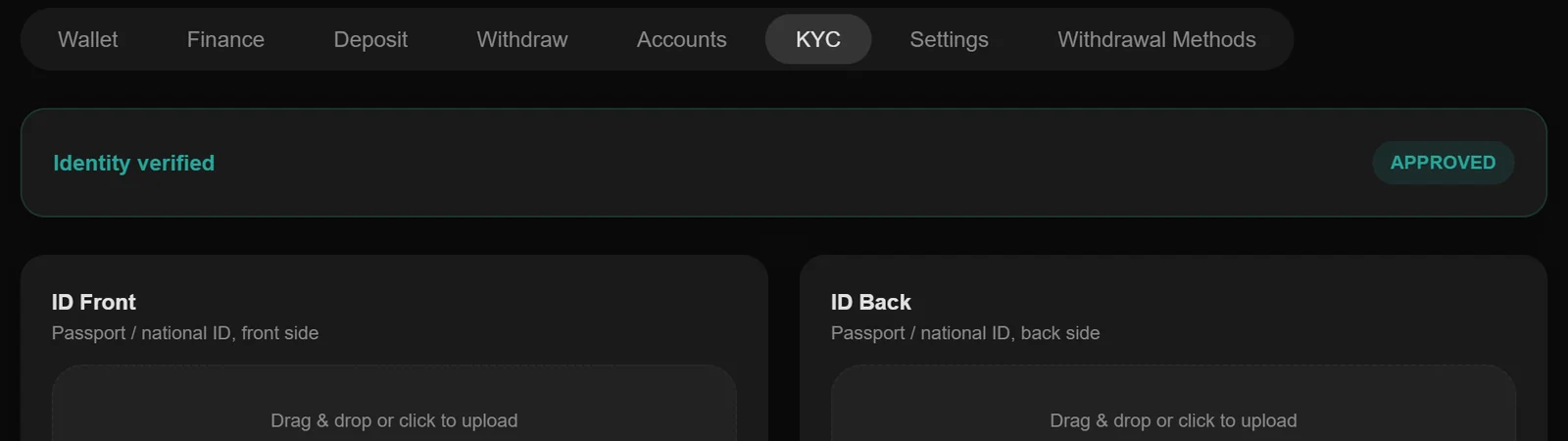
Sample data and sample clients.
What AI costs to run
AI is billed by usage: every question and every generated note costs a small amount at the model provider. That is cheap per question and hard to predict per month, because a few hundred active traders can ask thousands of questions in a volatile week.
Broker software passes that cost on in one of three ways. Pelris takes the third: AI in the terminal is included on every plan, with questions capped per trader per day and total spend capped per month, so the cost to the broker stays flat as the client book grows. The pricing page shows what each plan includes.
| Model | How you pay | What to watch |
|---|---|---|
| Per question or per seat | A usage bill on top of the subscription | Busy weeks raise the bill |
| Add-on module | A separate monthly fee | Often sold only with the higher plans |
| Included, with caps | Nothing extra; limits per trader and per month | Ask what the caps are |
How to roll AI out to your clients
Switching AI on is a product decision and a desk decision. Brokers who get the most from it treat the launch like any other feature their clients will ask the team about.
- Start with the terminal
The market note and the Ask box help every client from the first day and need no staff time, so they are the natural first step.
- Tell clients what it is and what it is not
The first-use notice covers this inside the terminal. Repeat it in your welcome email and your client terms, in plain words.
- Brief your agents
Agents should know what clients see, so a client who mentions a market note or a weekly review on a call gets a sensible answer.
- Agree who answers what
Market questions go to the AI; money, documents and complaints go to people. Write that down for the whole team.
- Check the usage after the first month
Ask your vendor how many questions your clients asked and how close the spend came to its cap before you scale your marketing.
Questions to ask a vendor about AI
Before you choose a platform for its AI, ask these five questions. To see the answers working, open the free 14-day demo or read how AI works on Pelris.
- Where is it?
In the client terminal, in the CRM or in both. Many products add AI to one side only.
- Does it ever recommend trades?
It should explain, not advise, and say so to the client before it answers.
- What does it cost at your size?
Ask for the monthly cost with the number of active traders you expect in a year, and whether there is a cap.
- Whose data does it see?
Only your brokerage's, kept in your own database.
- Does it speak your clients' languages?
The answers should come back in the language the client asks in.
Pelris builds brokerage software and is not a law firm or a broker. Nothing in this guide is legal, regulatory, financial or investment advice. Confirm your own position with a lawyer who practises in your jurisdiction before acting.